1. Introduction
This project implements a pose detection system using YOLOv8 (You Only Look Once Version 8) within Wolfram Mathematica. It uses models trained on the Microsoft COCO dataset to estimate keypoints and detect human body joints and poses in images.
Human pose estimation is used in motion analysis, sports analytics, health monitoring, and human-computer interaction. Running YOLOv8 through Mathematica's neural network framework, the system aims for a balance between accuracy and speed.
Core Features:
- 17-point human keypoint detection (nose, eyes, ears, shoulders, elbows, wrists, hips, knees, ankles)
- Pre-trained YOLO V8 Pose models from the MS-COCO dataset
- Multiple model sizes for varying performance requirements (N, S, M, L, X)
- Confidence scores for each detected keypoint
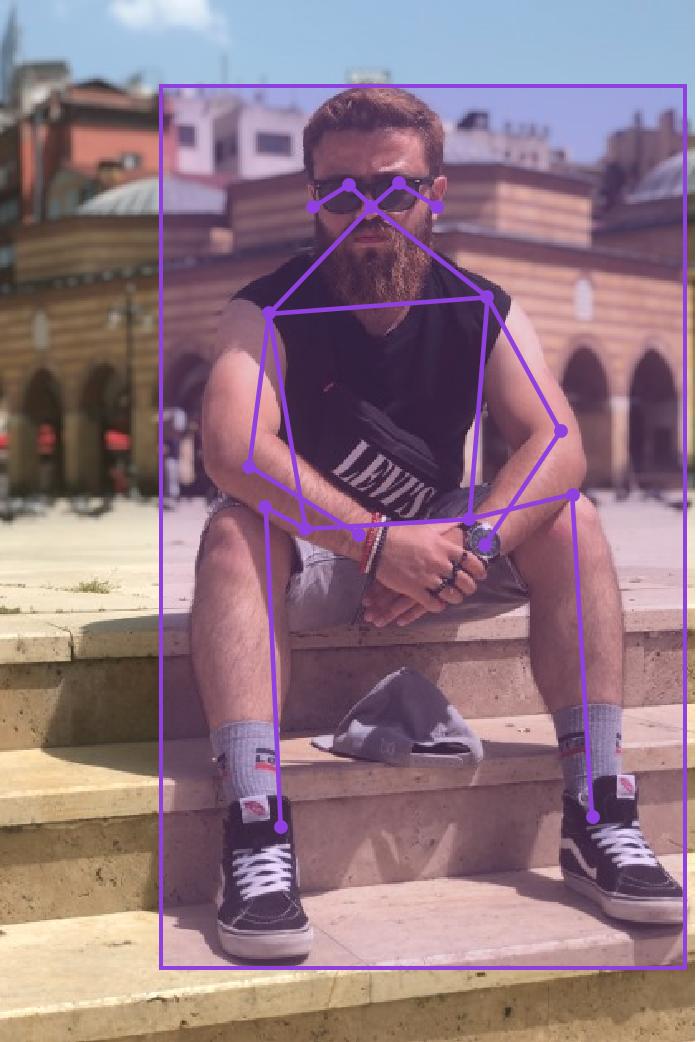
- Skeleton visualization and pose analysis
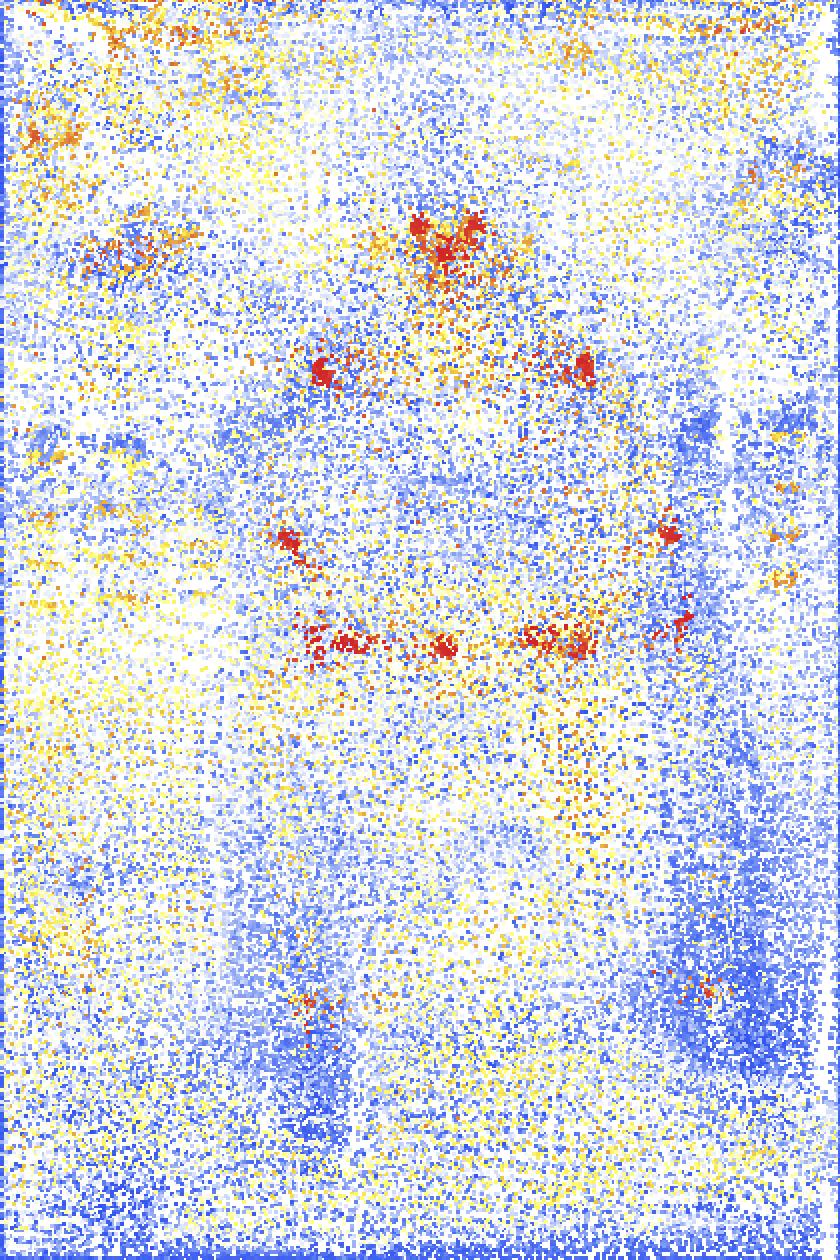
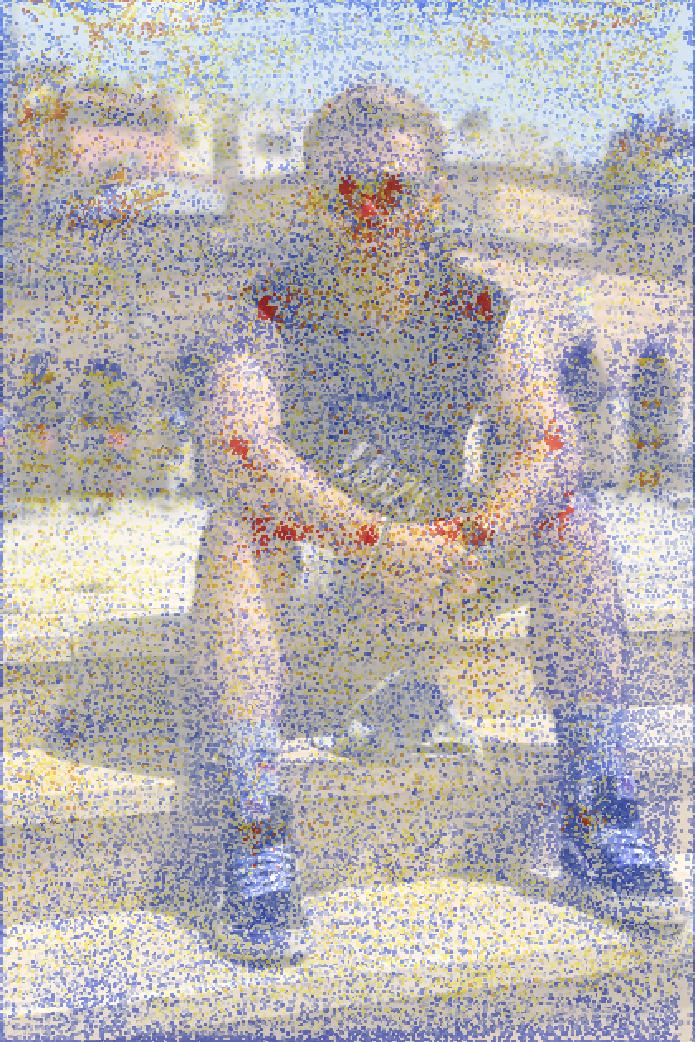
- Heat map generation for keypoint probability visualization
2. Methodology / Approach
The system utilizes YOLOv8 Pose, a state-of-the-art deep learning architecture specifically designed for pose estimation tasks. The model processes images through a single forward pass, detecting human bodies and estimating 17 anatomical keypoints simultaneously.
2.1 System Architecture
The pose detection pipeline consists of:
- Model Loading: Pre-trained YOLOv8 Pose models from Wolfram Neural Net Repository
- Image Processing: Input image preprocessing and dimension normalization
- Inference: Detection of bounding boxes, keypoints, and confidence scores
- Post-Processing: Non-maximum suppression and coordinate transformation
- Visualization: Keypoint overlay, skeleton drawing, and heatmap generation
2.2 Implementation Strategy
The implementation leverages Wolfram Mathematica's NetModel framework to access pre-trained YOLOv8 Pose models. Custom evaluation functions handle coordinate transformation, filtering low-confidence detections, and rendering visual outputs. The modular design allows flexible usage for different image processing tasks.
3. Mathematical Framework
3.1 Keypoint Detection
The YOLOv8 Pose model predicts 8,400 bounding boxes, each containing:
- Box coordinates:
(x, y, width, height) - Objectness score: Probability of human presence
- 17 keypoints: Each with
(x, y, confidence)values
3.2 Coordinate Transformation
Input images are resized to 640×640 pixels with aspect ratio preservation. Detected coordinates are transformed back to original image dimensions:
max = Max[{width, height}]
scale = max / 640
padX = 640 × (1 - width/max) / 2
padY = 640 × (1 - height/max) / 2

x_original = scale × (x_detected - padX)
y_original = scale × (640 - y_detected - padY)
3.3 Non-Maximum Suppression
Overlapping detections are filtered using NMS with configurable overlap threshold (default: 0.5) to retain only the most confident predictions.
4. Requirements
4.1 Software Requirements
- Wolfram Mathematica: Version 12.0 or higher
- NeuralNetworks Paclet: Required for model access
4.2 Model Requirements
- Pre-trained YOLOv8 Pose models (automatically downloaded)
- Available model sizes: N (Nano), S (Small), M (Medium), L (Large), X (Extra Large)
5. Installation & Configuration
5.1 Environment Setup
(* Install NeuralNetworks Paclet *)
PacletInstall["NeuralNetworks"]

(* Load the default model *)
net = NetModel["YOLO V8 Pose Trained on MS-COCO Data"]
5.2 Project Structure
Pose-Detection-with-YOLOv8-using-Wolfram-Mathematica
├─ Pose-Detection-with-YOLOv8-using-Wolfram-Mathematica.nb
├─ .gitignore
├─ README.md
└─ LICENSE
5.3 Model Selection
Choose model size based on requirements:
(* Load specific model size *)
netX = NetModel[{"YOLO V8 Pose Trained on MS-COCO Data", "Size" -> "X"}]| Model | Parameters | Speed | Accuracy |
|---|---|---|---|
| Nano (N) | ~3M | Fastest | Good |
| Small (S) | ~3.3M | Fast | Better |
| Medium (M) | ~3.3M | Moderate | Better |
| Large (L) | ~3.3M | Slower | Best |
| Extra (X) | ~3.3M | Slowest | Excellent |
6. Usage / How to Run
6.1 Basic Pose Detection
(* Load test image *)
testImage = Import["testImage.jpg"];

(* Get predictions *)
predictions = netevaluate[
  NetModel["YOLO V8 Pose Trained on MS-COCO Data"],
  testImage
];

(* View results *)
Keys[predictions]
(* Output: {"ObjectDetection", "KeypointEstimation", "KeypointConfidence"} *)
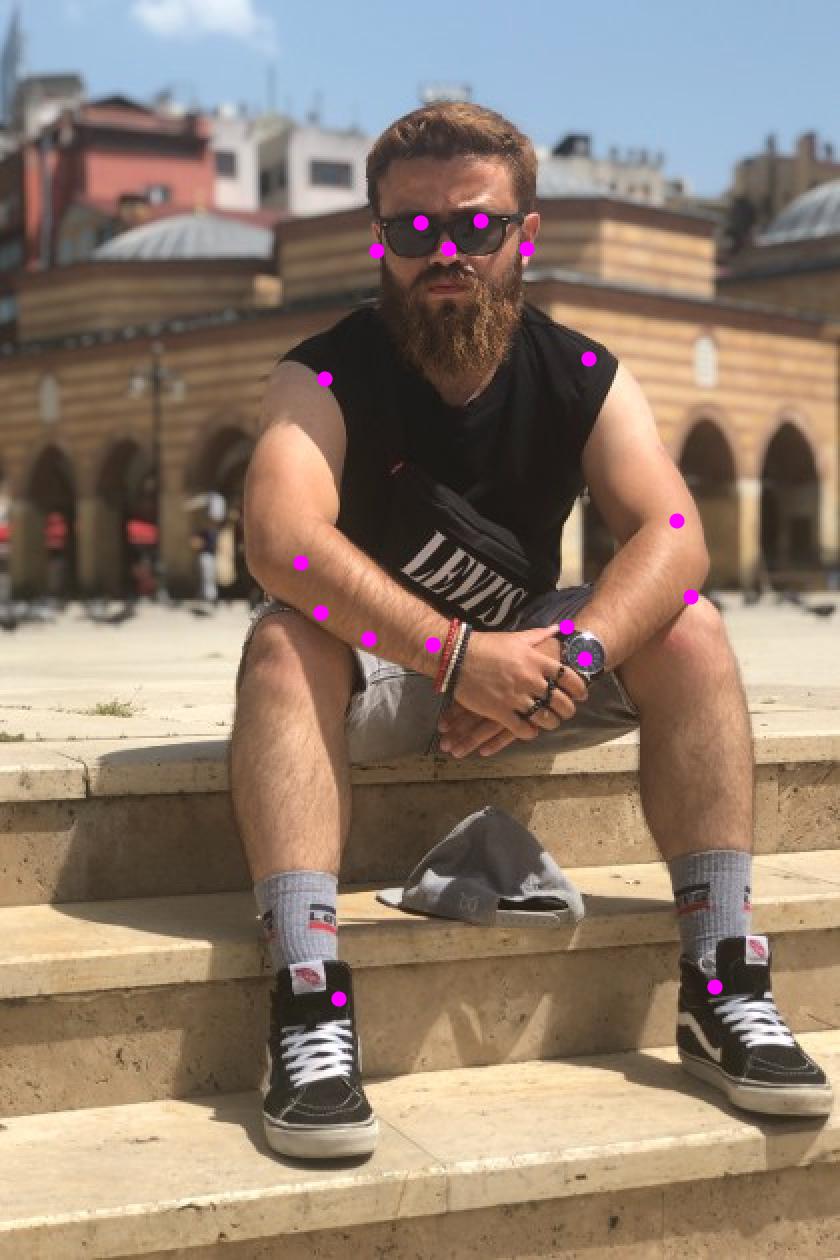
6.2 Visualize Keypoints
(* Extract keypoints *)
keypoints = predictions["KeypointEstimation"];

(* Highlight keypoints on image *)
HighlightImage[testImage, keypoints]
Output:
6.3 Visualize Skeleton
(* Define skeleton connections *)
getSkeleton[personKeypoints_] :=
  Line[DeleteMissing[
    Map[personKeypoints[[#]] &,
      {{1,2}, {1,3}, {2,4}, {3,5}, {1,6}, {1,7},
       {6,8}, {8,10}, {7,9}, {9,11}, {6,7}, {6,12},
       {7,13}, {12,13}, {12,14}, {14,16}, {13,15}, {15,17}}
    ], 1, 2
  ]];

(* Draw pose with skeleton *)
HighlightImage[testImage,
  AssociationThread[Range[Length[#]] -> #] & /@ {
    keypoints,
    Map[getSkeleton, keypoints],
    predictions["ObjectDetection"][[;;, 1]]
  },
  ImageLabels -> None
]
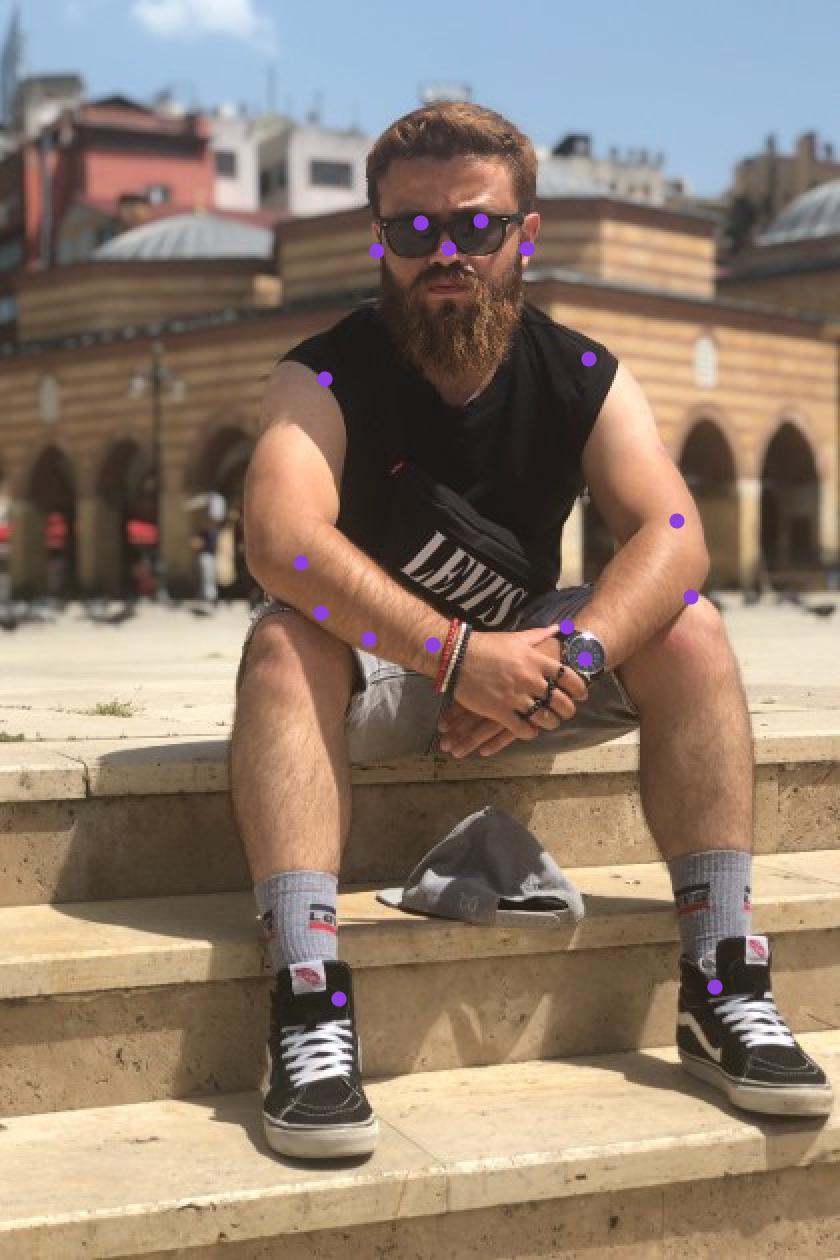
Output - Keypoints Grouped by Person:
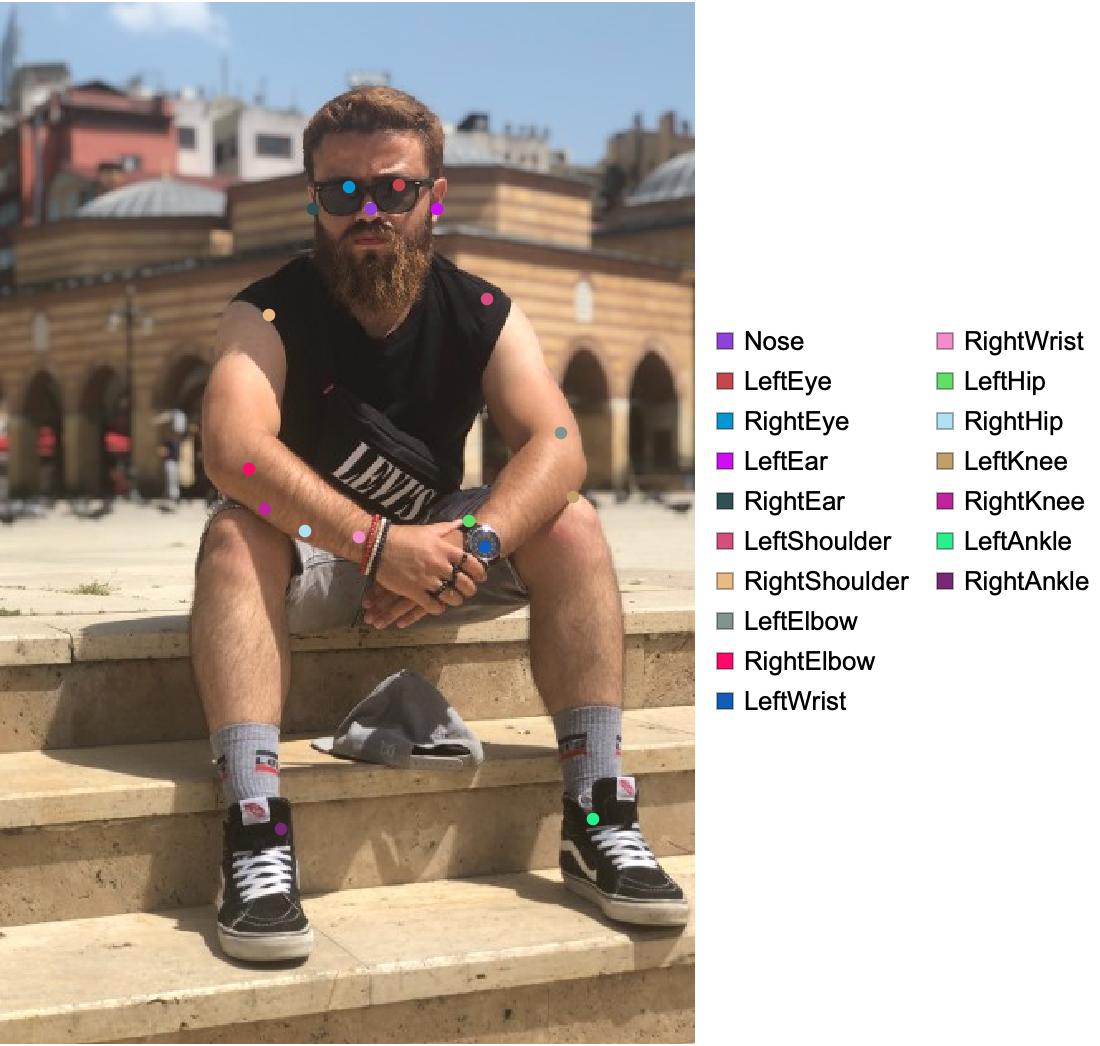
Output - Keypoints Grouped by Type:
Output - Complete Pose with Skeleton:
6.4 Generate Heatmap
(* Create probability heatmap *)
imgSize = 640;
{w, h} = ImageDimensions[testImage];
max = Max[{w, h}];
scale = max/imgSize;
{padx, pady} = imgSize*(1 - {w, h}/max)/2;

res = NetModel["YOLO V8 Pose Trained on MS-COCO Data"][testImage];

heatpoints = Flatten[Apply[
  {{Clip[Floor[scale*(#1 - padx)], {1, w}],
     Clip[Floor[scale*(imgSize - #2 - pady)], {1, h}]} ->
    ColorData["TemperatureMap"][#3]} &,
  res["KeyPoints"], {2}
]];

heatmap = ReplaceImageValue[ConstantImage[1, {w, h}], heatpoints];

(* Overlay on image *)
ImageCompose[testImage, {heatmap, 0.6}]
Output - Probability Heatmap:
Output - Heatmap Overlay:
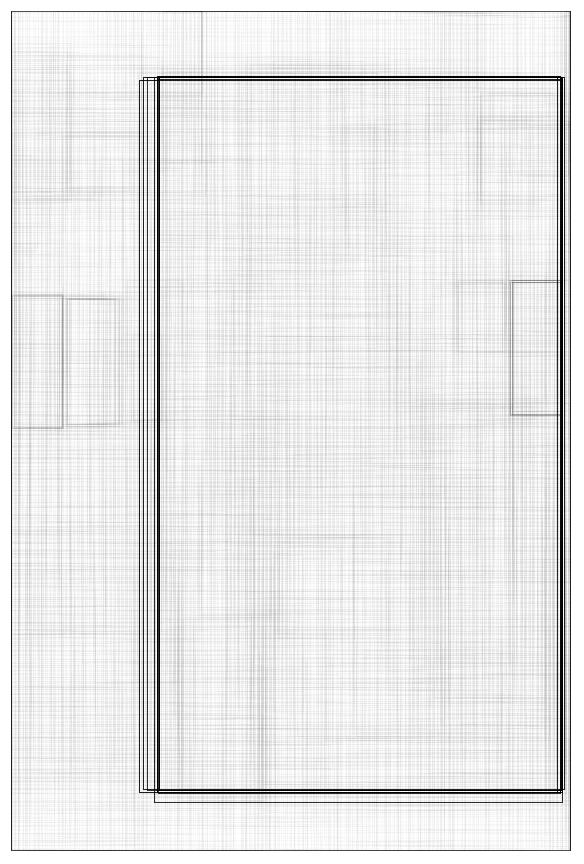
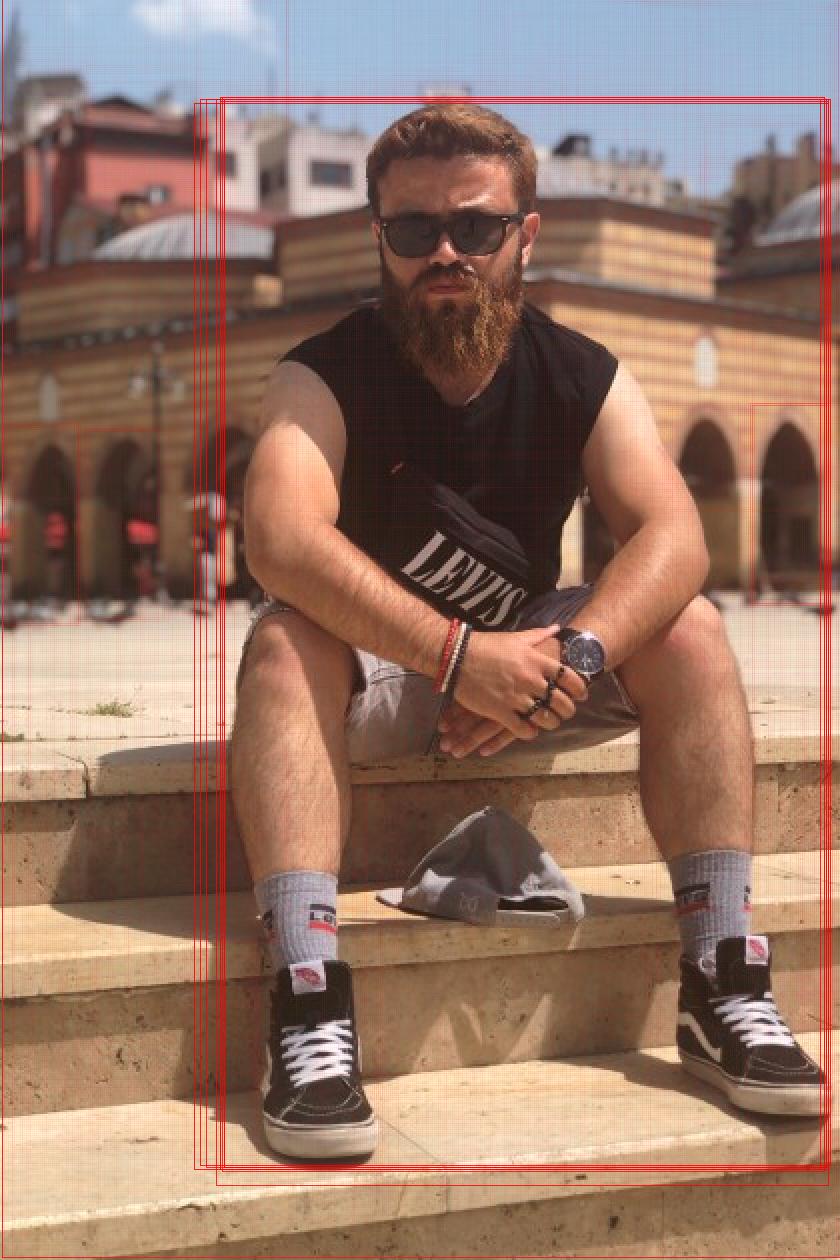
6.5 Visualize All Bounding Boxes
(* Visualize all 8,400 predicted bounding boxes *)
boxes = Apply[
  (
    x1 = Clip[Floor[scale*(#1 - #3/2 - padx)], {1, w}];
    y1 = Clip[Floor[scale*(imgSize - #2 - #4/2 - pady)], {1, h}];
    x2 = Clip[Floor[scale*(#1 + #3/2 - padx)], {1, w}];
    y2 = Clip[Floor[scale*(imgSize - #2 + #4/2 - pady)], {1, h}];
    Rectangle[{x1, y1}, {x2, y2}]
  ) &, res["Boxes"], 1
];

Graphics[
  MapThread[{EdgeForm[Opacity[Total[#1] + .01]], #2} &,
    {res["Objectness"], boxes}],
  BaseStyle -> {FaceForm[], EdgeForm[{Thin, Black}]}
]
Output - All Prediction Boxes:
Output - Boxes Overlaid on Image:
7. Application / Results
7.1 Keypoint Labels
The system detects 17 anatomical keypoints:
- Nose
- Left Eye
- Right Eye
- Left Ear
- Right Ear
- Left Shoulder
- Right Shoulder
- Left Elbow
- Right Elbow
- Left Wrist
- Right Wrist
- Left Hip
- Right Hip
- Left Knee
- Right Knee
- Left Ankle
- Right Ankle
7.2 Output Types
Object Detection:
- Bounding boxes around detected persons
- Confidence scores (0-1)
Keypoint Estimation:
- Pixel coordinates
{x, y}for each keypoint - Per-person keypoint arrays
Keypoint Confidence:
- Probability scores (0-1) for each keypoint
- Indicates detection reliability
7.3 Performance Metrics
| Metric | Value |
|---|---|
| Total Parameters | 3,348,483 |
| Prediction Boxes | 8,400 |
| Keypoints per Person | 17 |
| Detection Threshold | 0.25 (configurable) |
| Overlap Threshold | 0.5 (configurable) |
8. Tech Stack
8.1 Core Technologies
- Platform: Wolfram Mathematica 12.0+
- Framework: Wolfram Neural Net Repository
- Model Architecture: YOLOv8 Pose
- Dataset: MS-COCO (300,000+ images)
8.2 Model Components
| Component | Layers | Purpose |
|---|---|---|
| Backbone | C2f, Conv, SPPF | Feature extraction |
| Neck | C2f, Conv | Feature pyramid |
| Head (Detect) | Conv, Bn | Keypoint prediction |
| Total Layers | 278 | Full architecture |
8.3 Layer Statistics
- ConvolutionLayer: 73
- BatchNormalizationLayer: 63
- ElementwiseLayer: 65
- PoolingLayer: 3
- ResizeLayer: 2
- Other Layers: 52
9. License
This project is licensed under the Creative Commons Attribution-NonCommercial-NoDerivatives 4.0 International (CC BY-NC-ND 4.0).
10. References
- Ultralytics YOLOv8 Pose Estimation Documentation.
- Microsoft COCO Keypoint Detection Challenge.
- Wolfram Research Wolfram Neural Net Repository.
Acknowledgments
This project uses the YOLOv8 Pose model trained on the Microsoft COCO dataset, accessed through Wolfram's Neural Net Repository. Thanks to Ultralytics for YOLOv8 and to the COCO dataset team for the pose estimation training data.
Note: This implementation is designed for research and educational purposes. Ensure you have appropriate computing resources (CPU/GPU) for optimal performance with larger model sizes. The default model provides a good balance between speed and accuracy for most applications.